It slumps when you slump.
A small paper character sits at the corner of your screen and mirrors how you are sitting. Slump and it slumps with you, slowly. Straighten up and it recovers in about two seconds.
It lives in the menu bar, and the character stands in a corner of your screen.
For macOS. Coming to the Mac App Store. Free, with a one-time Deskami Plus if you want it. No account, no sign-in.
One email when it reaches the Mac App Store, nothing else.
- While you sit like this, I stay quiet.
- Your shoulders dropped. I slump with you, slowly.
- You straightened up. I recover right away.
- If it lasts, I send one notification. Then I stay quiet about it for a while.
Three characters, seven states
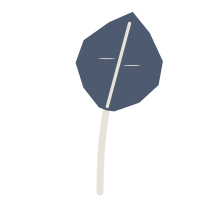
Pick the one you can stand looking at for eight hours. Each shows the same seven states — the colour carries how urgent it is, and none of them is red. Leaf and Stone come with the app; Furry is part of Deskami Plus.
Leaf




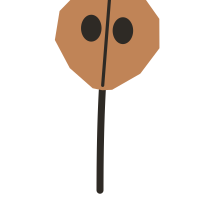

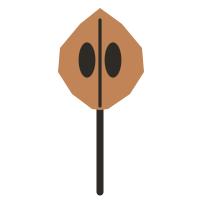


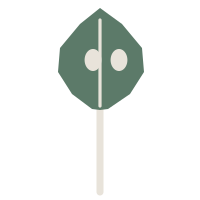
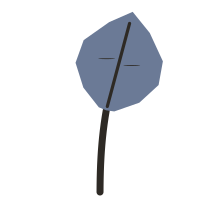
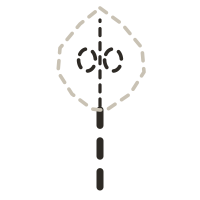
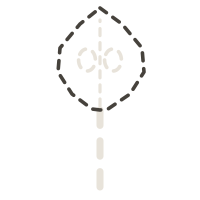
Furry










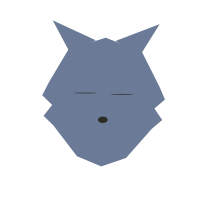


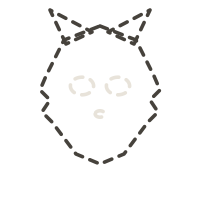
Stone










How it behaves
It complains late
The character has to watch you sit below your reference for a while — three minutes in the default setting — before it slumps. A moment of leaning over your desk is not worth a word.
It forgives fast
A few seconds of sitting up and it recovers. That imbalance is the whole design: it is what makes cause and effect something you feel rather than something you are told.
It compares you with you
There is no correct posture inside the app. It takes one five-second reference of how you normally sit, and everything after that is measured against it. No scores, no streaks, no leaderboards.
It looks at four things
Posture, screen distance, blinking and looking away. Each has its own switch under Settings › Warnings, so each can be switched off on its own. A switched-off signal is still measured and still appears on the day summary; it just stops warning you.
What it saw today
One summary at the end of the day. It describes; it does not grade. Every number says how it was measured, and where nothing was measured it says that instead of filling the gap with a zero.


Swipe sideways to see the whole day.
- At the desk
A minute counts as at the desk when the camera saw you in it. The times below are the first and last such minute. Minutes with the camera off, the Mac asleep or the screen locked do not count.
- Hands-on time
Minutes at the desk with the keyboard or mouse touched within the last 15 seconds. Read from macOS without any permission: only "how long since the last touch", never the keys themselves. Reading and thinking count as hands-on; a long pause does not.
- Breaks
A break is 5 minutes or more away from the desk, counted once you are back. Longer than 2 hours away is not a break but a split in the day. Time with the camera off is not counted either way, and the last stretch of the day is not a break.
- Posture
What is measured How far your head and shoulders sit below the reference you took, as the camera sees it. The number is the time spent below it. It says nothing about your spine; it shows how long you were slumped compared with your own usual.
On the strip Posture minute by minute: orange when your head and shoulders sat noticeably below your reference, green when they did not. Minutes where posture could not be measured get the low grey band. The strip shows when it happened; the total is at the right end of the row's label.
- Highlights
Observations from today's minutes and reminders. There is no score and no comparison with other days. Lines starting with 'Pattern:' point out what repeated over the last few days.
Work These lines come from two things macOS gives without permission: which app is in front and how long since you last touched the keyboard or mouse. Window titles, sites and keys are never read. Both can be turned off in Settings; the data stays on this Mac.
Eyes Eyes can be measured only when your face is visible, the light is enough and your head faces the camera. Blink numbers use only that measured time. When it covers little of the day, the first sentence says so.
- Apps
Where the desk time went: the apps that were in front the longest, with how your posture and blinking did while each was open, next to the day's overall figures. Only the app's name is read, never window titles, sites or keys. The posture and blink columns are filled only for apps open at least 20 minutes; otherwise they show a dash. The Whole day row gives the day's overall figures. Everything stays on this Mac.
- This week
The calendar week, day by day: time at the desk per day, with the part where posture needed attention on top and the part where posture could not be measured at the bottom. The sentences compare only with your own earlier weeks; there is no score and no target.
- At the desk
Minutes the camera saw you at the desk that day. Minutes with the camera off, the Mac asleep or the screen locked do not count, and neither do breaks you declared from the menu.
- Hands-on
Minutes at the desk with the keyboard or mouse touched within the last 15 seconds. Read from macOS without any permission: only how long since the last touch, never the keys themselves. Reading and thinking count as hands-on; a long pause does not.
- In focus
A focus minute: you are at the desk, hands-on for at least half of the minute, and at most one app switch. Runs of 10 minutes or more are focus blocks; a one-minute gap does not split a block. The number is the day's blocks added up.
- App switches
How many times the app in front changed that day, added up. Only the name of the app in front is read, never window titles or what is inside them. The number rises with time at the desk, so read it next to the At the desk row. The day summary shows the same count hour by hour.
- Breaks
A break is 5 minutes or more away from the desk, counted once you are back. Longer than 2 hours away is not a break but a split in the day. Breaks you declared from the menu are counted here too.
- Posture needed attention
Of the minutes in which posture could be measured, the share with your head and shoulders noticeably below the reference you took. As the camera sees it; it says nothing about your spine.
- Too close
Of the minutes in which distance could be measured, the share with your face noticeably closer to the screen than at your reference, read from the spacing of your eyes in the image.
- Blinks a minute
Blinks per minute, counted only while your eyes could be measured. At rest most people blink about 15 to 20 times a minute; during screen work it often drops to a third of that. Higher is better here. Under a minute of measurement shows "–".
- Looked away
The 20-20-20 habit: about every 20 minutes, look far away for 20 seconds. The number is how many times you actually did it that day, as seen by the camera. Reminders are not counted.
- On calls
Minutes on a call: a conferencing app in front, or one process using the microphone and speaker at the same time. Screen sharing on its own is not counted here, because nobody may be talking. The sound itself is never read, only which processes have it open.
- At the desk
What is measured Minutes the camera saw you at the desk that day. Minutes with the camera off, the Mac asleep or the screen locked do not count, and neither do breaks you declared from the menu.
On the strip The strip shows your day, hour by hour. The shape of your day: filled minutes are the ones the camera saw you in, gaps are minutes away from the desk. A break gets its own band, and the stretch you declared from the menu is striped. With the camera off it is not known whether you were at the desk, so those minutes get the dashed band.
- Screen distance
What is measured How much closer your face is to the screen than at your reference, read from the spacing of your eyes in the image. The number is the time spent noticeably closer. The strip shows when it happened.
On the strip Distance minute by minute: orange when your face was noticeably closer to the screen than at your reference, green when it was not. Minutes where distance could not be measured get the low grey band. The strip shows when it happened.
- Blinking
What is measured Blinks per minute, counted only while your eyes could be measured. At rest most people blink about 15 to 20 times a minute; during screen work it often drops to a third of that. Higher is better here. The number reports; it sets no target.
On the strip This lane does not show how often you blinked; it marks the minutes in which the app reminded you about blinking. No threshold is invented for blink rate; the rate itself is the number at the right end of the row's label.
- Blinks that didn't fully close
What is measured A blink counts as not fully closed when its narrowest moment does not come close enough to your open-eye measure from the last few minutes. The yardstick is that running measure; a closed-eye value from your reference refines it but is not required. A blink that closes fully spreads the tear film over the eye. Lower is better; above half in a stretch, the app nudges you. Judged only when enough blinks were seen clearly. A break of five minutes or more starts the window over.
On the strip A blink counts as not fully closed when its narrowest moment does not come close enough to your open-eye measure from the last few minutes. The ratio is read from the window ending in that minute, not from the minute alone: when at least eight blinks were seen clearly the minute is green or orange. Minutes where the eyes could not be measured stay in the low grey band and borrow no verdict from their neighbours. Five minutes without observation, away from the desk or with the camera off, start the window over.
- Looking away
What is measured The 20-20-20 habit: about every 20 minutes, look roughly 20 feet (6 meters) away for 20 seconds. The number is how many times you actually did it, as seen by the camera. More is better. On the strip, ink marks a real look away; orange marks a reminder.
On the strip An ink mark is a minute in which you actually looked away; orange is a minute in which the app reminded you. They are different things: one shows what you did, the other what the app did. The number at the right end of the row's label counts only yours.
- Focus
What is measured A focus minute: you are at the desk, hands-on for at least half of the minute, and at most one app switch. Runs of 10 minutes or more are focus blocks; a one-minute gap does not split a block. The number is the day's blocks added up.
On the strip Full height is a focus block: you are at the desk, the keyboard or mouse is in use for at least half the minute, there is at most one app switch, and this runs for at least ten minutes. The striped mark is a minute with three or more app switches. Nothing is claimed about the blank stretches; hover one to see what that minute was.
- Calls
What is measured Minutes on a call: a conferencing app in front, or one process using the microphone and speaker at the same time. Screen sharing on its own is not counted here, because nobody may be talking. The sound itself is never read, only which processes have it open.
On the strip Full height is a minute mostly spent on a call: a conferencing app in front, or one process using the microphone and speaker at the same time. Screen sharing on its own is not counted here. Grey means the question could not be asked then. The sound itself is never read, only which processes have it open.
- September 2026
The calendar month, day by day: time at the desk for each day. A day with nothing measured stays empty. Below it, the rows of the week table, week by week. The sentences compare only with your own previous month; there is no score and no target.
What is free, and what Deskami Plus adds
Everything Deskami measures and says about this week and last week is free, and stays free. Deskami Plus is a single one-time purchase through the App Store; no subscription, no account. It adds a longer history, the apps breakdown beyond today, export and Furry.
Everything Deskami measures and says about this week and last week is free, and stays free: every signal, every warning, the day summaries, the week view, today's apps breakdown, Leaf and Stone.
Deskami Plus adds
- History older than two weeks: every day and week you recorded.
- A month view. Days that were not measured stay empty.
- Export: the summary as PDF, and the data as CSV and JSON for a day, a week, a month or everything. Column names are fixed and documented. Column dictionary
- The apps breakdown of earlier days, and of the week and the month: time per app, and how posture and blinking did while it was in front.
- Furry.
The purchase runs through the App Store; Deskami still has no permission to reach the internet. One purchase counts on every Mac signed in with the same Apple Account, and each Mac keeps its own history. Nothing in the free part depends on it, and the character will never bring it up.

Before you install
- macOS 26 or later, on a Mac with Apple silicon.
- A camera that sees your face and your shoulders: the built-in one with the lid open at about chest height, or an external webcam.
- During a call or screen sharing it hides the character and keeps measuring; sound and notifications stay quiet meanwhile.
- Free, with a one-time Deskami Plus if you want it. No account, no sign-in.
It cannot send anything anywhere
This is not a promise about intentions. It is a property of the application, and you can check it yourself.
- The app has no networking code and no network permission. There is no server to send anything to.
- Each camera frame is measured in memory and then discarded. No video or still image is ever written to disk.
- The microphone is never opened. It has no microphone permission.
- Window titles, page addresses and what you type are never read.